Ingestion steps for Occurrence and Event datasets
Occurrence and Event datasets go through a series of steps when they are crawled and ingested by GBIF. The status of these pills for each dataset can be seen in the GBIF Registry, and can be used to learn the cause of a dataset failing ingestion. The steps, also known as pills are:
The ingestion steps for occurrences are:
-
XML TO VERBATIM: Data coming from DIGIR/TAPIR endpoints is transformed to common internal verbatim format used by pipelines.
-
ABCD TO VERBATIM: Data coming from ABCD format is transformed to common verbatim format used by pipelines.
-
DWCA TO VERBATIM: Data coming from Darwin core archive format is transformed to common verbatim format used by pipelines.
-
VERBATIM TO IDENTIFIER: Checking that identifiers (occurrenceIDs and triplets) in the dataset are unique and for an already published dataset, it validates the number of identifiers that have been added/changed and fails the process if the number is above a threshold of 50%.
-
VERBATIM TO INTERPRETATION: Data checking and enrichment, this step is responsible for persisting new identifiers (occurrenceID or triplet combinations).
-
INTERPRETED TO INDEX: Indexing of data into search indexes to support search tools and some mapping functionality.
-
HDFS VIEW: Loading of data into download infrastructure to allow the data to be downloaded through the API.
-
FRAGMENTER: Loading of verbatim data into a database to support API access.
For event datasets, there are three different EVENT versions indexing, interpretation and hdfsview steps, which do the same thing but for events:
-
EVENTS VERBATIM TO INTERPRETED: Data checking and enrichment for events.
-
EVENTS INTERPRETED TO INDEX: Indexing of event data into search indexes.
-
EVENTS HDFS VIEW: Loading of event data into download infrastructure.

| Not all steps will be present for every dataset, only the ones relevant for a particular origin and type. |
Each one of these steps can be in six possible states:
-
SUBMITTED: The process has been submitted but has not been executed yet.
-
RUNNING: The process is currently running in the pipeline.
-
QUEUED: The process is currently running in the pipeline.
-
COMPLETED: The process was successful.
-
FAILED: The process started but didn’t go through because it encountered an error.
-
ABORTED: The job was interrupted or cancelled, usually refers to invalid identifiers.
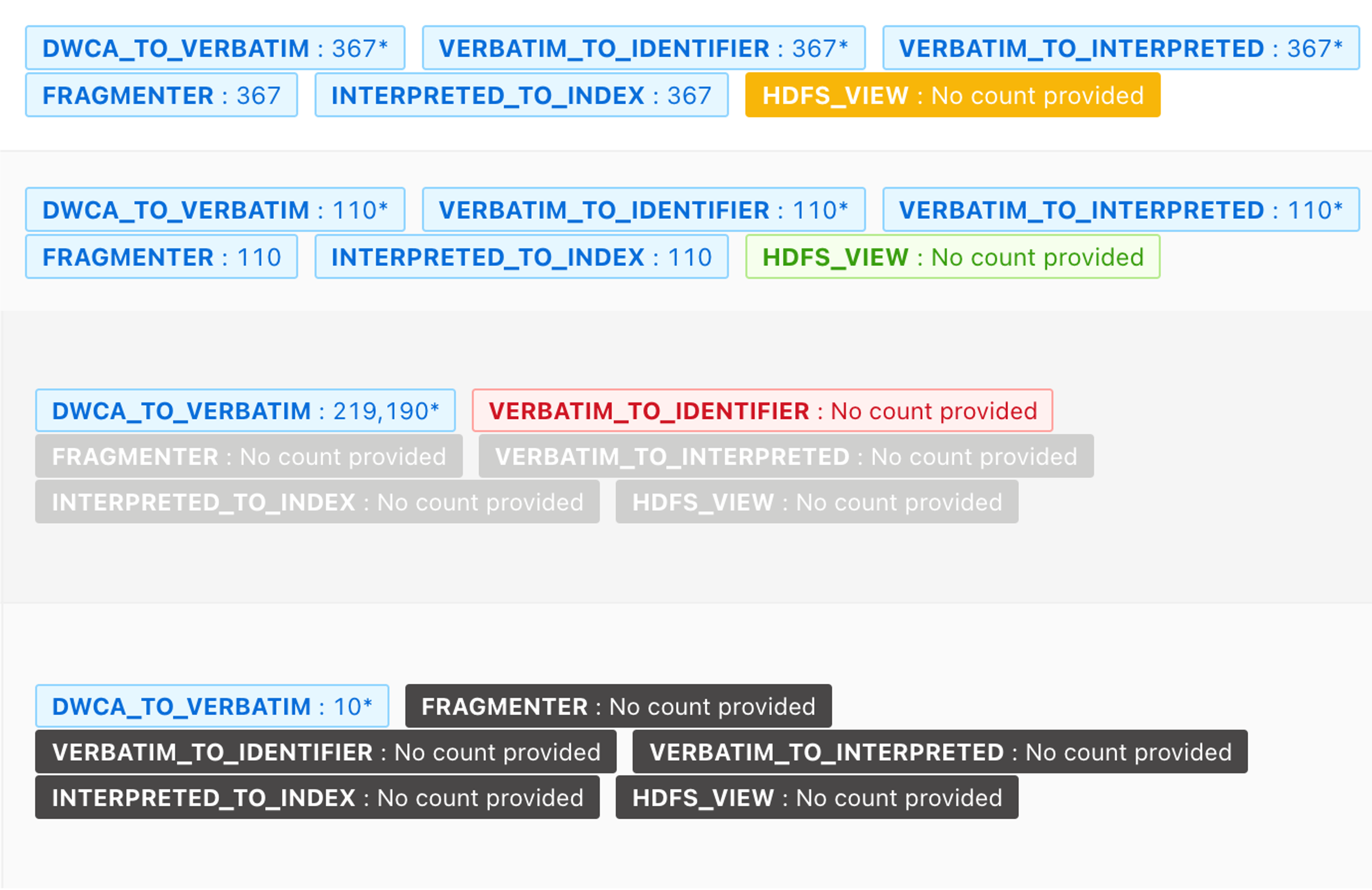
| Each state is represented by a different color, SUBMITTED: grey, RUNNING: green, QUEUED: yellow, COMPLETED: blue, FAILED: red, ABORTED: black. |
Finally, you can review the full results of the pipelines in the public ElasticSearch logs, where there is detailed information for each part of the process. You can access the logs using the 'Ingestion history' section on the Registry, for each attempt there is a 'Log' button that will take you to ElasticSearch.
Runing specific steps for a dataset
| This function is only available to nodes with access to the registry |
Related to those steps, the registry can be used to run specific steps in the pipeline for a dataset, the available options and its equivalent steps are:
-
Converting the dataset: Equivalent to XML, ABDC or DWCA to verbatim steps.
-
Occurrence - main interpretation: Equivalent to run VERBATIM TO INTERPRETATION.
-
Occurrence - indexing: Equivalent to run INTERPRETED TO INDEX.
-
Occurrence - creating table files: Equivalent to run HDFS VIEW.
-
Saving raw data fragments: Equivalent to run FRAGMENTER.
-
Events - main interpretation: Equivalent to run EVENTS VERBATIM TO INTERPRETED.
-
Events - indexing: Equivalent to run EVENTS INTERPRETED TO INDEX.
-
Events - creating table files: Equivalent to run EVENTS HDFS VIEW.
There are two additional options to modify the running of steps, those are:
-
Use the latest successful attempt: Run the steps using the latest successful attempt instead of the last one.
-
Exclude event steps: Run the steps for occurrences only.
You need to leave a comment when using this option.
Ingestion of Checklists and Metadata-only datasets
Checklists and Metadata-only datasets do not have these steps, because those are specific for indexing occurrences. For checklist it will show ‘processStateChecklist: FINISHED’. If they are pills present for a checklist, it is because it has the occurrence extension and the pills relate to that extension.
For Metadata it will show “finishReason: NORMAL processStateOccurrence: EMPTY processStateChecklist: EMPTY”
If there is a problem with one of those kind of datasets and the finishReason is: ABORT. You can review the full results of the pipelines in the Log option, that will redirect to the ElasticSearch results that have detailed information about ingestion.